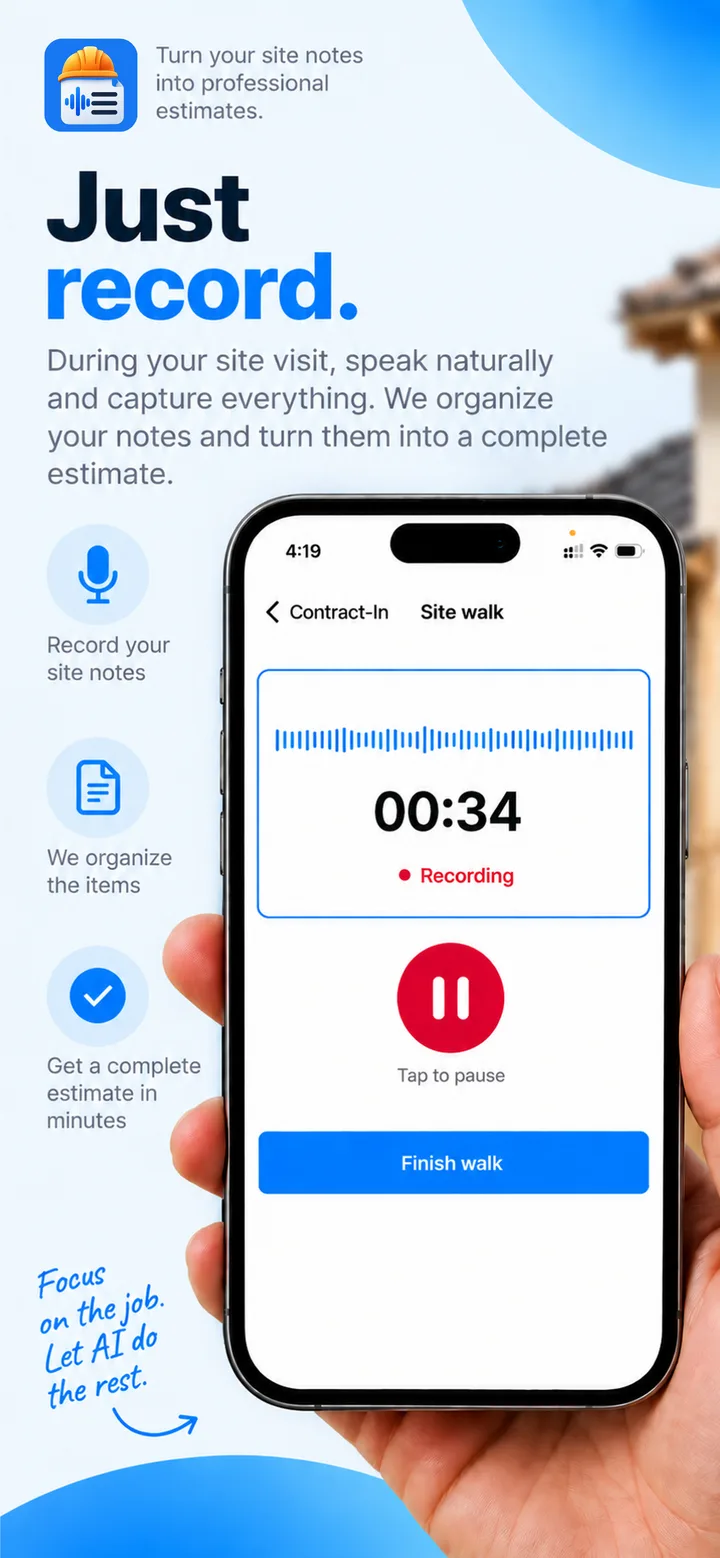
Just record.
We write the estimate.
Talk through the job during your site visit. ContractIn organizes what you said, prices it from your own list, and hands you a professional estimate, ready to send before you’re back in the truck.
- Record your site notes
- We organize the items
- Get a complete estimate in minutes
Recording
You talk.
It writes the line items.
Speak the way you already do on site. ContractIn picks out every job and quantity, matches it against your catalog, and prices it at your rates.
What you say
01:12“Okay, front slope. We've got about twenty-five square meters of broken clay tile1 to replace. Gutters on the back are shot, call it fourteen meters of new galvanized gutter2, plus two downspouts at the rear corners3. And clean out the rest of the gutters4 while we're up there.”
What your client gets
Priced from your catalogRoof and Gutter Repair
Karen Mitchell · 742 Maple Avenue
- 1Clay roof tile replacement25 m² × $85.00$2,125.00
- 2Gutter installation14 m × $30.00$420.00
- 3Downspout replacement2 × $85.00$170.00
- 4Gutter cleaning1 job × $150.00$150.00
One walk.
One finished estimate.
- 1
Add your prices
Enter your services and materials by hand, or import a list from a photo, screenshot, PDF or CSV.
- 2
Record your site walk
Talk through the job as you walk it, room by room. Pause and continue as often as you need.
- 3
Review the estimate
ContractIn matches what you said against your price list. Untick what shouldn't be there, edit quantities, fix a price.
- 4
Send the PDF
Share it to WhatsApp, SMS or email, then mark it Won or Lost to keep track.
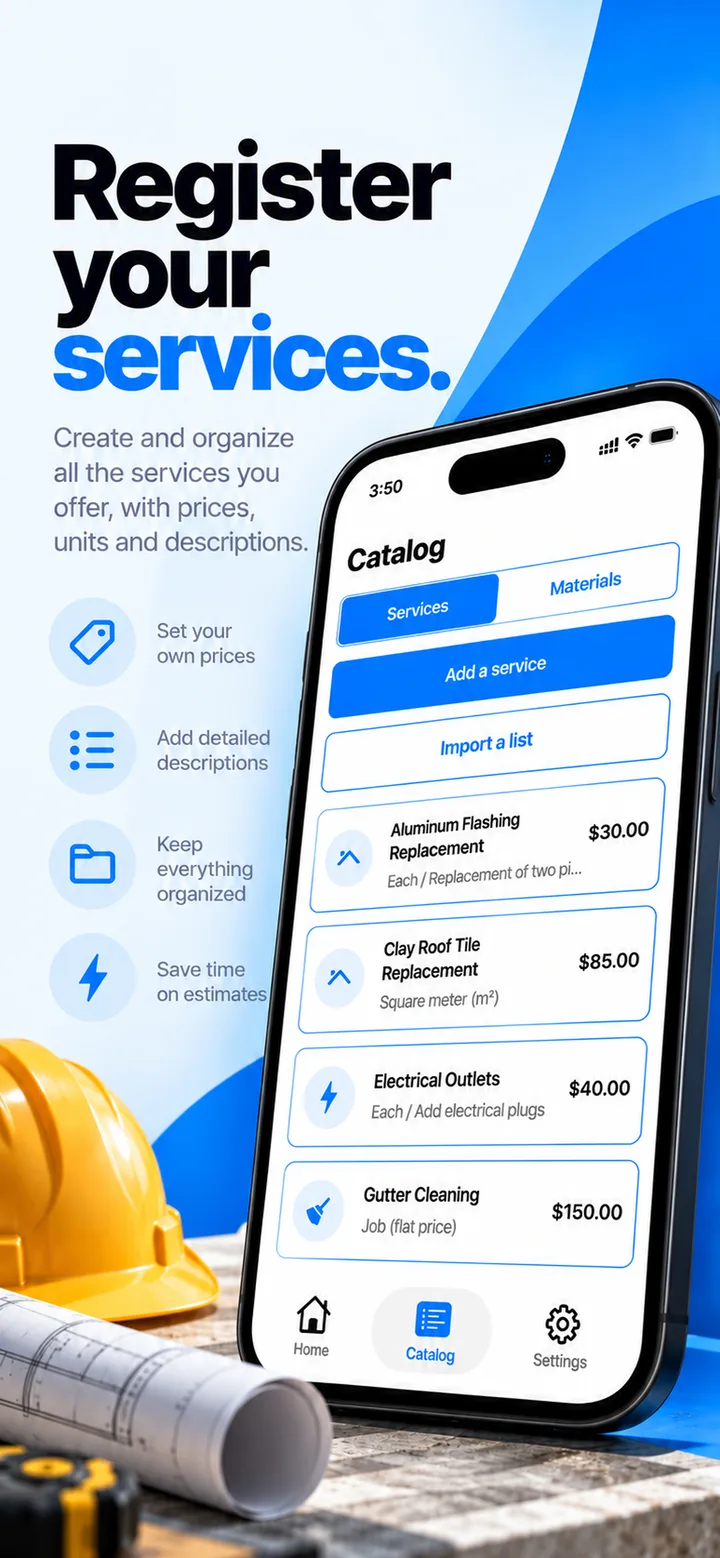
Catalog
- Aluminum Flashing ReplacementEach$30.00
- Clay Roof Tile ReplacementSquare meter (m²)$85.00
- Electrical OutletsEach$40.00
- Gutter CleaningJob (flat price)$150.00
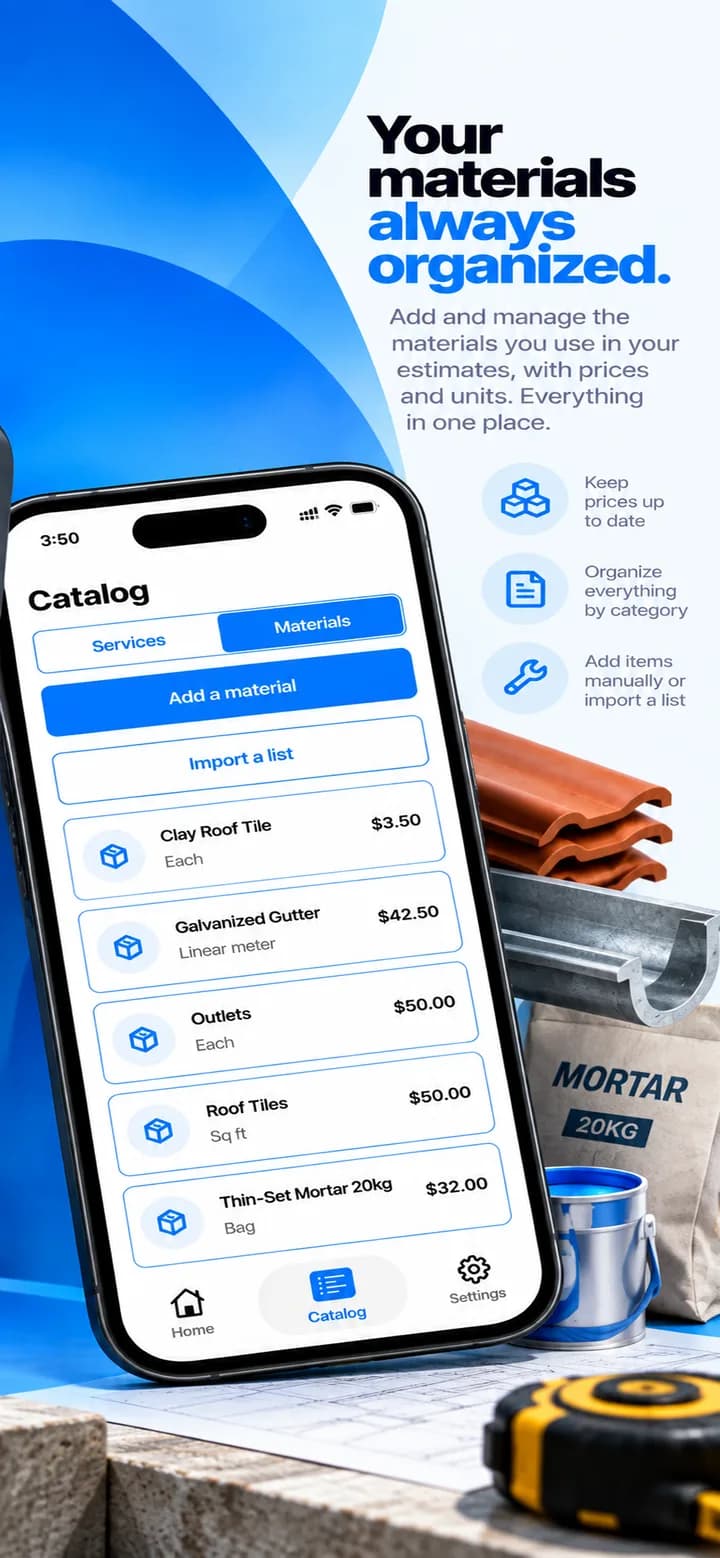
- Thin-Set Mortar 20kgBag$32.00
Step 1 · Your prices
Register your
services & materials.
Build a catalog of everything you sell, with your prices, units and descriptions. Every estimate is priced from it, so the numbers are always yours.
- Set your own prices and units
- Services and materials, kept organized
- Detailed descriptions your clients understand
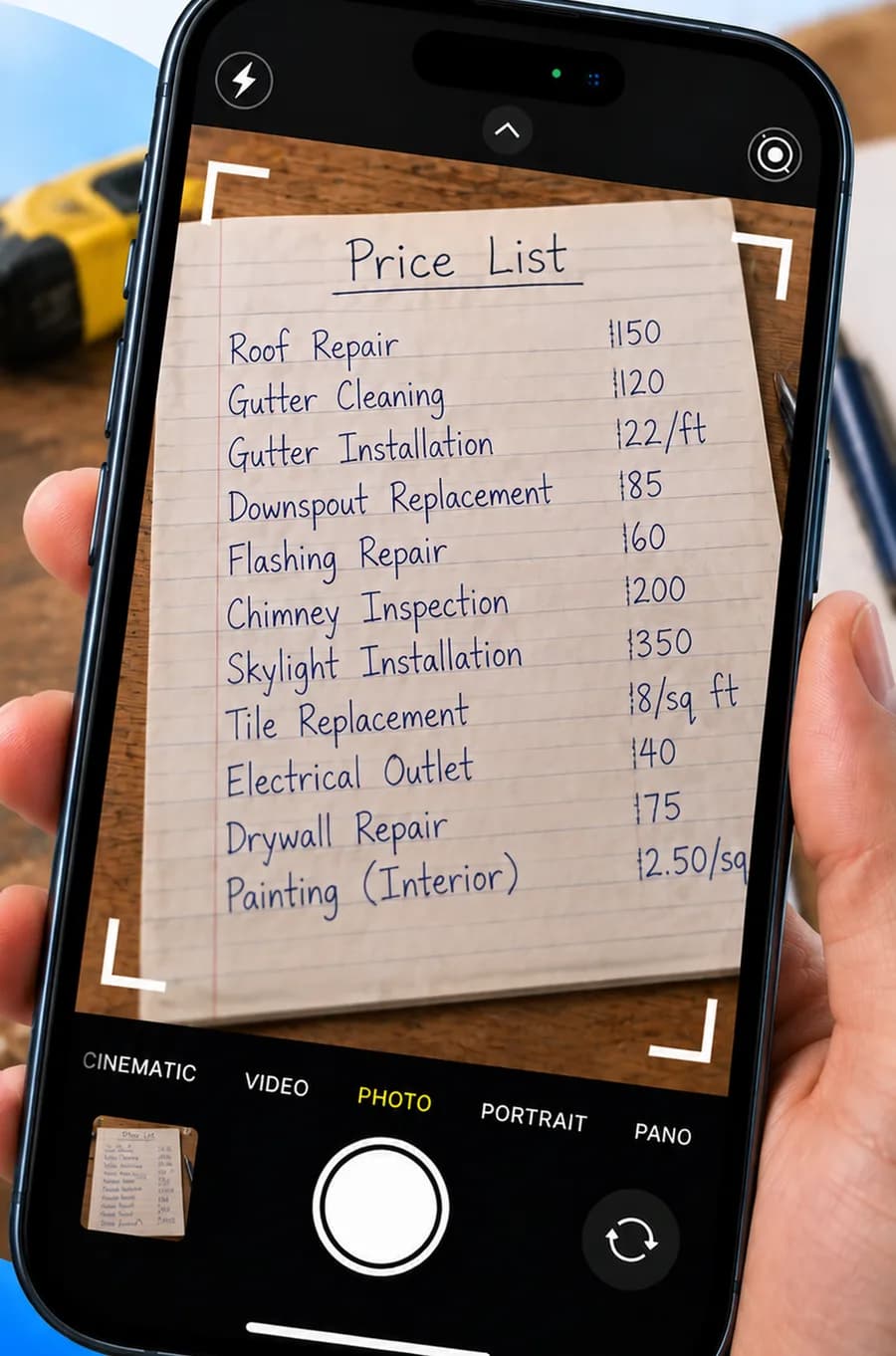
No typing required
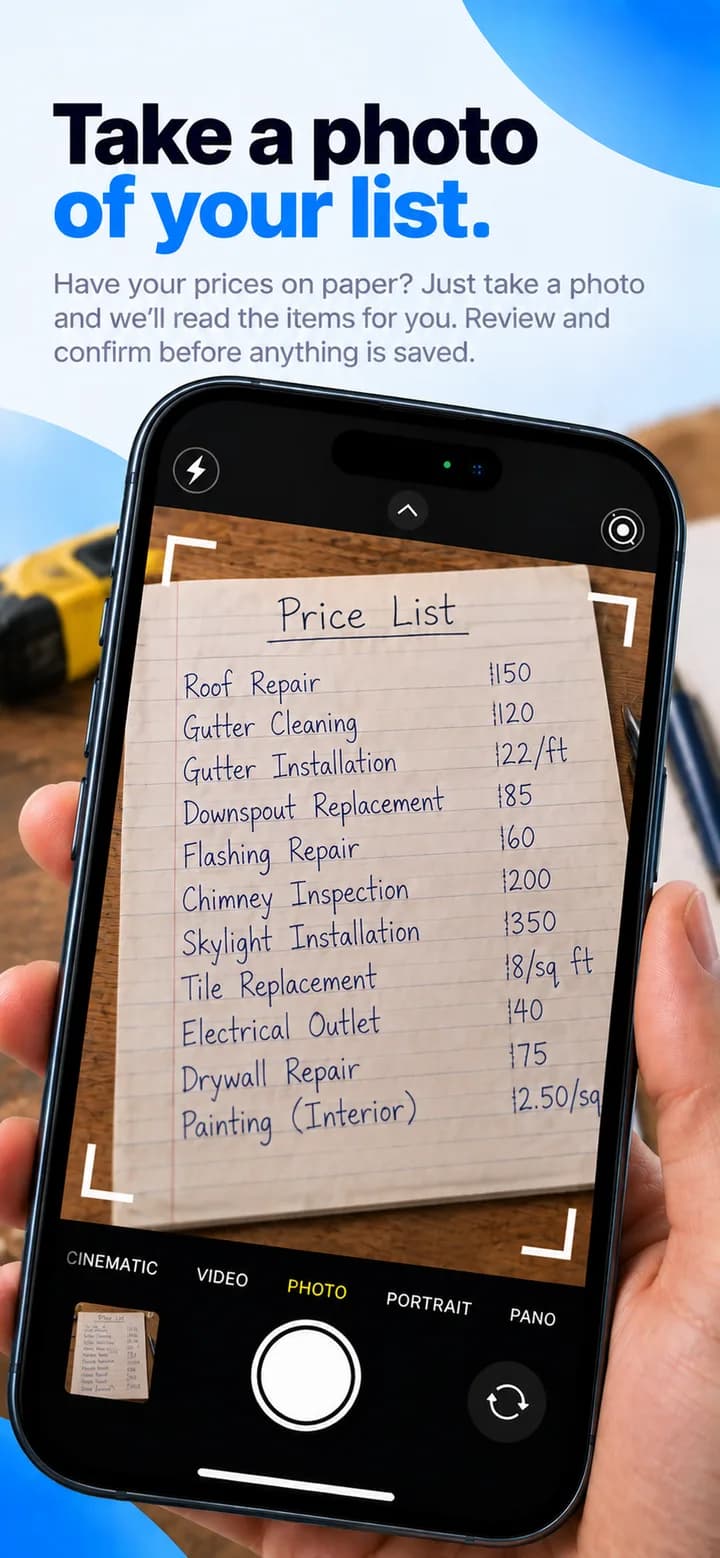
Take a photo
of your list.
Prices on paper, in a spreadsheet or a PDF? Snap it, or pick a photo, screenshot, PDF or CSV. ContractIn reads the items in, and you review every one before anything is saved.
Step 2 · Record
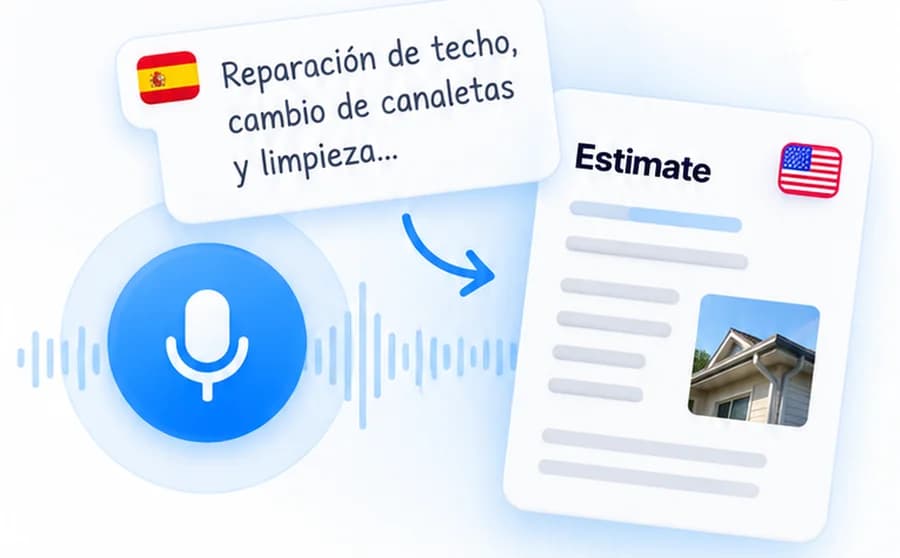
Record in
your language.
Walk the job room by room and talk it through. Pause and pick up again as often as you need. Speak in the language you work in, and send the estimate in the language your client reads.
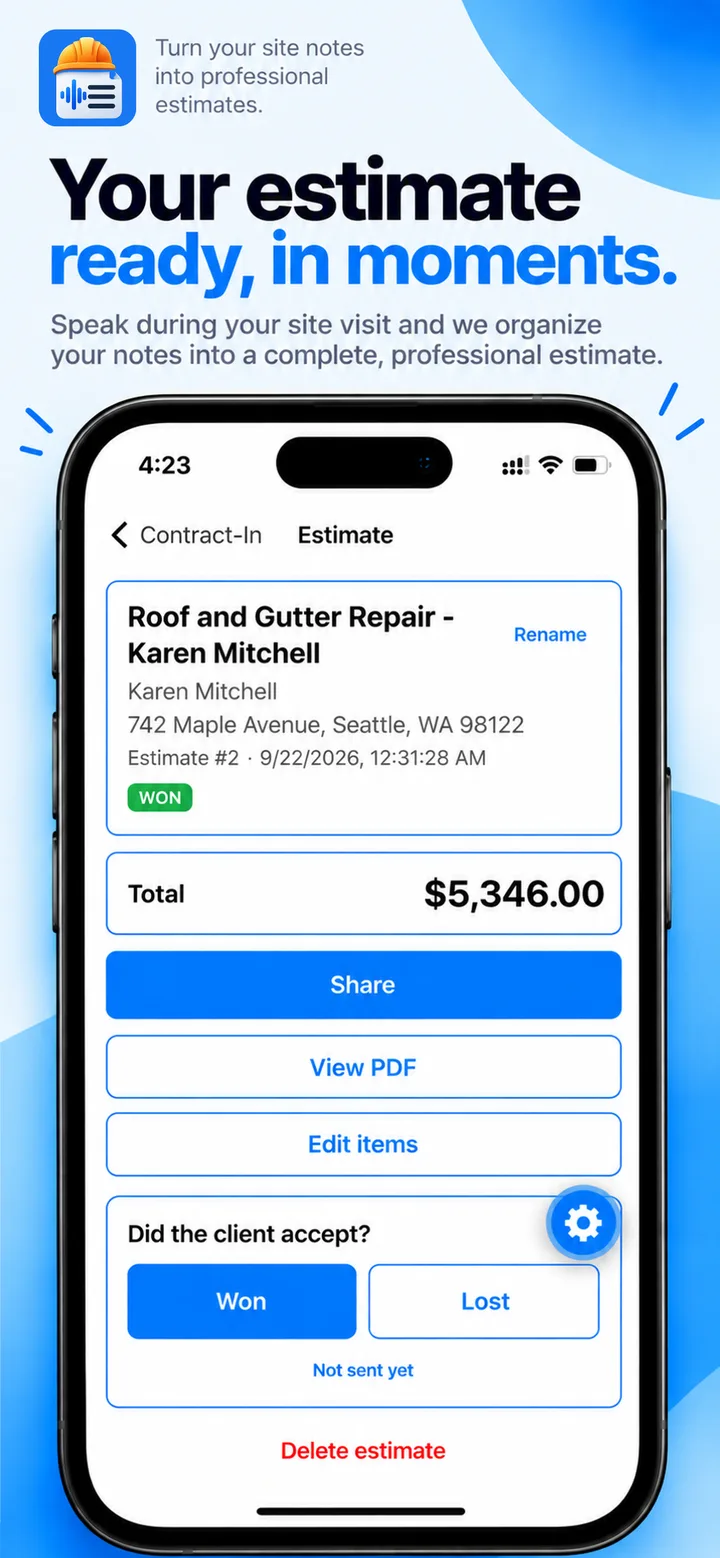
Roof and Gutter Repair – Karen Mitchell
Rename742 Maple Avenue, Seattle, WA 98122
Estimate #2 · 9/22/2026
Did the client accept?
Steps 3 & 4 · Review and send
Check it, send it,
win the job.
Untick anything that shouldn't be there, fix a quantity or a price, then share the PDF to WhatsApp, SMS or email. Mark it Won or Lost and always know what's still out with clients.
- Every line is editable before it goes out
- Share the PDF from the job site
- A nudge when a client has gone quiet for three days
Made for roofs,
basements and driveways.
Not for a desk. Everything you need to quote a job from wherever the job is.
Works with no signal
Basements, roofs, new builds. Record, edit your price list and client details offline. Everything syncs when you're back in range.
Snap your price list
Prices on paper, in a spreadsheet or a photo? Point the camera at it and ContractIn reads the items in. You confirm before anything is saved.
English, Português, Español
Record in the language you work in. Send the estimate in the language your client reads.
Follow-up nudges
A reminder when a client has gone quiet for three days, and a reminder to send an estimate at a time you choose.
Know what you've won
Mark estimates Won or Lost and see what's still out with clients at a glance.
Face ID lock
Client names and prices are nobody else's business. Lock the app with Face ID.
Simple on purpose.
Big buttons, clear totals.
Designed to be used with one hand, on a ladder, in the sun. Swipe through the app.


Your prices. Your clients.
Nobody else’s.
Your price list is how you win work. It stays in your account, and you can delete every bit of it at any time.
Read the privacy policyPrivate to your account
Recordings, estimates, clients and prices are never shared with other contractors.
Not used to train AI
Audio goes through a paid AI service whose terms keep your data out of model training.
Face ID lock
Keep client names and prices behind Face ID every time the app opens.
Delete it all, anytime
One tap in Settings removes your account, recordings, estimates and price list.
Do I have to type my whole price list?
No. In Catalog, tap Import a list and choose a photo, screenshot, PDF or CSV. ContractIn reads the items for you, and you review every one before anything is saved.
Does it work with no signal?
Recording, editing your catalog and changing settings all work offline, and sync when you're back in range. Turning a recording into an estimate needs a connection, because the audio is processed on our servers.
Can I record in one language and send in another?
Yes. Speak in whichever language you work in. The estimate is written in the language set in Settings.
Who can see my estimates and prices?
Only you. Your recordings, estimates, client details and price list are tied to your account and are never shared with other contractors.
I already recorded the walk somewhere else. Can I use it?
Yes. Choose Upload a recording instead of recording in the app. Voice Memos saved to the Files app work too.

Start building
faster estimates.
Save time, stay organized, and send professional estimates to your clients in minutes. Your next estimate is one site walk away.